Random Password Generator
Generate strong, secure random passwords instantly. Choose length, character types (uppercase, lowercase, numbers, symbols), and get uncrackable passwords...
How to Use the Random Password Generator
Creating a truly secure password should take seconds, not minutes of deliberation. This random password generator uses your browser's built-in crypto.getRandomValues() API — the same cryptographic randomness used in SSL/TLS protocols — to produce passwords that are statistically impossible to predict.

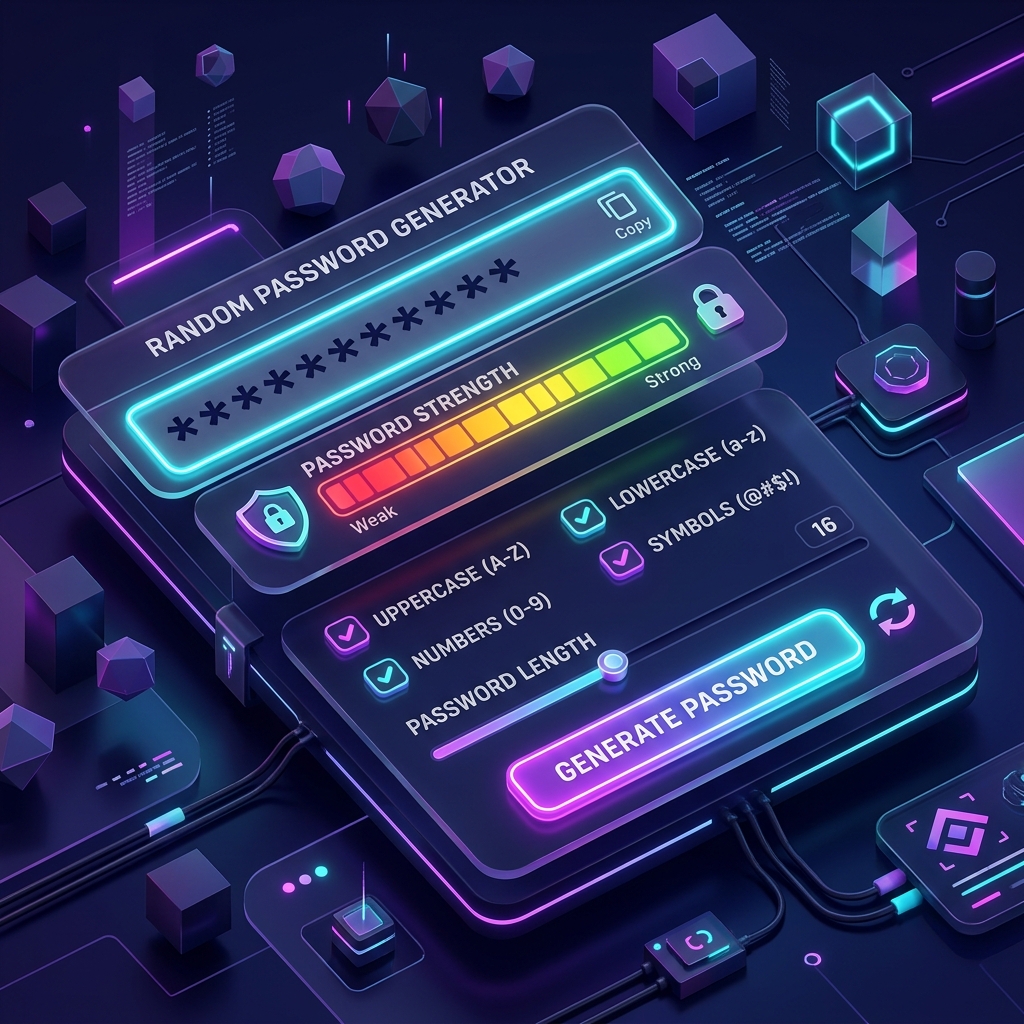
The Random Password Generator with real-time strength meter and entropy calculation
Step-by-Step Usage
- 1
Set the password length
Use the slider or preset buttons (8, 12, 16, 24, 32) to choose length. Security experts recommend 16+ characters for standard accounts and 24+ for email or banking.
- 2
Select character types
Enable uppercase, lowercase, numbers, and symbols. More variety = higher entropy = stronger password.
- 3
Enable optional filters
Toggle "Exclude ambiguous" to remove easily confused characters like O/0 and l/1 — helpful when you need to read the password aloud.
- 4
Set quantity if needed
Adjust the quantity control to generate up to 20 unique passwords at once — useful for batch account setup.
- 5
Click Generate
The tool instantly creates passwords using cryptographic randomness with a live strength rating.
- 6
Copy and save
Hit "Copy to Clipboard" and paste immediately into your password manager. Never save passwords in plain text.
Password Entropy: The Math Behind Security
Entropy measures how unpredictable a password is. It's calculated as:Entropy = Length × log₂(Character Set Size)
For most threat models, 80+ bits of entropy is the practical target. A 16-character password using all character types provides 105 bits — well beyond brute-force reach. This is why our password generator shows entropy in real time, so you can make informed decisions about each password's strength.
Common Password Mistakes That Expose You
Despite decades of security awareness campaigns, the most cracked passwords remain embarrassingly simple. Understanding why people make these mistakes helps you avoid them permanently.

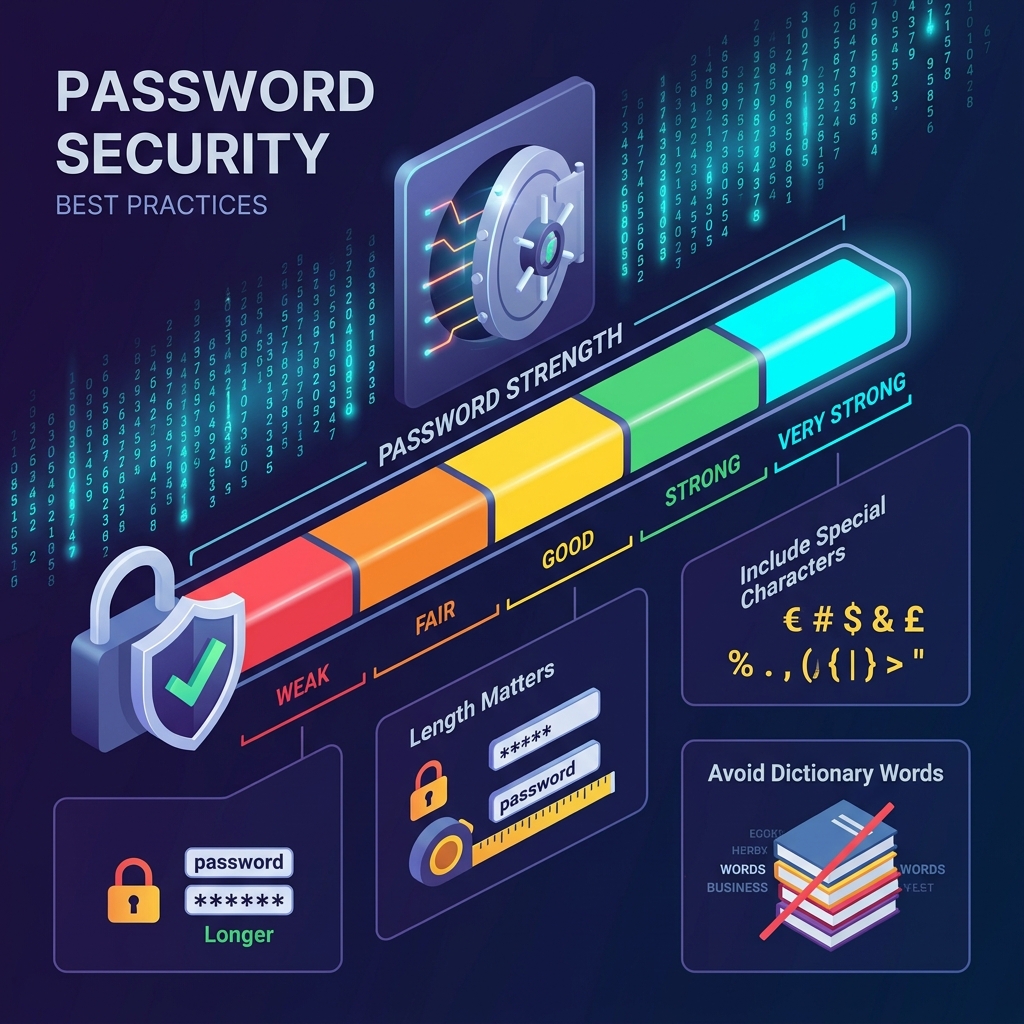
Password strength spectrum: from trivially cracked to computationally infeasible
❌ Personal Information
Birthdays, pet names, addresses — guessable via social engineering or public social media in minutes.
❌ Character Substitutions
"P@ssw0rd" provides almost zero benefit over "Password". Hackers account for all common substitutions.
❌ Keyboard Patterns
"qwerty", "1qaz2wsx", "zxcvbn" are in every attack dictionary. They're the first patterns checked.
❌ Reusing Passwords
A single data breach cascades into dozens of compromised accounts when you reuse credentials.
❌ Short Passwords
A 6-character password has ~39 bits of entropy — crackable in minutes with modern GPU clusters.
❌ Sharing via Email/SMS
Unencrypted messages can be intercepted. Use password manager sharing features instead.
Password Managers: Your Essential Companion
No human can memorize 50+ unique randomly-generated passwords. A password manager stores them in an encrypted vault, protected by one strong master password. Generate passwords here, then store them there — it takes under 30 seconds per account.
Bitwarden
Open SourceFree tier, end-to-end encrypted, self-hostable. Best for privacy-conscious users.
1Password
PremiumBest UX, Travel Mode for border crossings, excellent family/team plans.
KeePassXC
OfflineFully local, no cloud dependency, perfect for air-gapped security environments.
You can also use the Character Counter to verify your master password meets the minimum length requirements, and the Word Counter to analyze the complexity of passphrase-style passwords.
Two-Factor Authentication: The Critical Second Layer
Even the strongest password can be stolen via phishing, keyloggers, or data breaches. Two-factor authentication (2FA) adds a second verification layer that an attacker cannot steal remotely — typically a time-based one-time password (TOTP) from an authenticator app.
Always Enable 2FA On:
Passphrase vs. Random Password
| Aspect | Random Password | Passphrase |
|---|---|---|
| Typical Entropy | Very High | High |
| Memorability | ❌ Very Low | ✅ Moderate |
| Typing Ease | ❌ Low | ✅ Higher |
| Brute-Force Resistance | ✅ Excellent | ✅ Good |
| Best For | Password manager entries | Master passwords / recall |
Frequently Asked Questions
Is this password generator safe to use?
Yes. All password generation happens entirely in your browser using the crypto.getRandomValues() Web Crypto API. No passwords are ever sent to our servers or stored anywhere. The code is fully client-side.
How random is "random"?
This tool uses crypto.getRandomValues() — a cryptographically secure pseudorandom number generator (CSPRNG). It is the same API used by browsers for HTTPS/TLS operations. It is not predictable from previous outputs, unlike Math.random().
What is the ideal password length?
NIST recommends at least 15 characters for sensitive accounts. For most online accounts stored in a password manager, 16–24 characters with all character types provides excellent security (100+ bits of entropy).
Can I use the same generated password twice?
Technically yes, but never do this. Generate a unique password for every account. This is exactly what password managers are designed to handle — you only need to remember one strong master password.
Does disabling symbols weaken my password significantly?
Yes, but not catastrophically. Moving from 95-char to 62-char pool reduces entropy by about 10 bits per 8 characters. Compensate by adding 2-4 extra characters to maintain the same security level.
What is "excluding ambiguous characters"?
Ambiguous characters like O (capital o), 0 (zero), l (lowercase L), and 1 (one) look similar in many fonts. Excluding them is useful when you need to type or read a password aloud, at the cost of a slightly reduced character pool.
Related Tools in Our Suite
Combine this password generator with our broader toolset for a complete productivity and security workflow:
- Random Number Generator →
Generate random numbers for PINs, codes, and security sampling.
- Character Counter →
Verify minimum password length requirements at a glance.
- Word Counter →
Analyze complexity of passphrase-style passwords and security docs.
- Base64 Encoder →
Encode tokens and credentials for secure transmission in APIs.
- Case Converter →
Format usernames and identifiers to required casing standards.
- Slug Generator →
Create URL-safe identifiers and public-facing usernames.
How to Use the Random Password Generator
Creating a strong password in seconds is simple with this tool. Follow the steps below to generate a secure password tailored to your exact requirements.
Step-by-Step Guide
Set the password length
Use the slider or input field to choose a length between 4 and 128 characters. Security experts recommend at least 16 characters for most accounts and 24+ characters for high-value accounts such as banking or email.Select character types
Toggle which character sets to include:- Uppercase letters (A–Z): Dramatically increase entropy
- Lowercase letters (a–z): Essential baseline randomness
- Numbers (0–9): Add numeric complexity
- Symbols (!@#$%^&*): Maximum entropy and resistance to brute force
Exclude ambiguous characters (optional)
Enable this to avoid confusing characters like O (capital o) vs 0 (zero), or l (lowercase L) vs 1 (one) — useful for passwords you need to read aloud or type manually.Click "Generate Password"
A new cryptographically secure random password appears instantly. The strength meter updates in real time to show Weak, Fair, Good, Strong, or Very Strong.Copy and save
Click the Copy button to copy to your clipboard, then paste it into a password manager immediately. Never store passwords in plain text files.
The Complete Guide to Random Password Security
Understanding why password strength matters — and how to use a random password generator effectively — can protect your digital life from unauthorized access, data breaches, and identity theft.
Why Weak Passwords Are Catastrophic
The most common passwords in 2024 are still "123456", "password", "qwerty", and their simple variations. These passwords can be cracked in less than one second using modern brute-force tools. Even seemingly complex passwords like "P@ssword₁" are cracked quickly because they follow predictable substitution patterns that hackers account for.
A truly random password generator produces passwords that don't follow any human-predictable pattern, making them exponentially harder to crack.
Password Entropy: The Math Behind Strong Passwords
Entropy measures how unpredictable a password is. The formula is:
Entropy (bits) = Password Length × log₂(Character Set Size)
| Configuration | Character Set | 16 chars | 24 chars |
|---|---|---|---|
| Lowercase only | 26 | 75 bits | 113 bits |
| Lowercase + Numbers | 36 | 83 bits | 124 bits |
| All character types | 95 | 105 bits | 157 bits |
For reference, 128-bit entropy is considered computationally infeasible to crack even with cutting-edge hardware. A 16-character password using all character types provides 105 bits of entropy — far beyond brute-force reach for any realistic attacker.
The Risk of Reusing Passwords
When a website suffers a data breach, attackers obtain lists of email + password combinations. They then attempt those same credentials on other services — a technique called credential stuffing. If you reuse a password, a single breach can compromise dozens of accounts.
This is why generating a unique, random password for every account is critical. Tools like Word Counter and productivity apps often require account creation — use a unique password for each. The only practical way to manage many unique passwords is through a dedicated password manager.
What Makes a Password Truly Secure?
According to the National Institute of Standards and Technology (NIST) guidelines, a strong password should:
- Be at least 12 characters long (NIST recommends 15+ for sensitive accounts)
- Never be a dictionary word or proper noun, even with substitutions
- Include variety across character types when the site allows
- Never be reused across different accounts
- Be generated randomly, not chosen by a human mind (which introduces predictable patterns)
Passwords generated by this tool satisfy all five criteria. You can also use it alongside the Case Converter when you need to format text credentials, or the Base₆₄ Encoder for encoding tokens.
Password Managers: Your Essential Companion
No human can memorize 50+ unique random passwords. A password manager stores them securely in an encrypted vault, requiring only one strong master password to unlock. Popular options include:
- Bitwarden — Open-source, free tier available, end-to-end encrypted
- 1Password — Premium UX, travel mode for border crossings
- KeePassXC — Fully offline, no cloud dependency
Generate a password here, copy it, paste it into your password manager's note field along with the website name, then paste the password into the site's registration form. Takes less than 30 seconds.
Passphrase vs. Random Password
Some security experts prefer passphrases (multiple random words joined together, like "maple-river-galaxy-torch") for certain use cases:
| Aspect | Random Password | Passphrase |
|---|---|---|
| Entropy (typical) | Very high | High |
| Memorability | Very low | Moderate |
| Typing ease | Low | Higher |
| Brute-force resistance | Excellent | Good |
| Best for | Password manager entries | Master passwords, verbal recall |
For most logins stored in a password manager, use this random password generator. For master passwords or cases where you must memorize, a 5-6 word passphrase (using a tool like Diceware) may serve you better.
Common Password Mistakes to Avoid
- Using personal information: Birthdays, pet names, and addresses are guessable through social engineering
- Simple character substitution: "P@ssw₀rd" is well-known to attackers — it provides almost no benefit over "Password"
- Keyboard patterns: "qwerty", "1qaz₂wsx", "zxcvbn" are in every hacker's dictionary
- Short passwords: A 6-character password with all character types has only ~39 bits of entropy — crackable in minutes with modern hardware
- Sharing passwords: Never share passwords via email, SMS, or messaging apps — use a secure sharing feature from a password manager instead
Two-Factor Authentication: Layer Beyond Passwords
Even the strongest password can be stolen via phishing or keyloggers. Two-factor authentication (2FA) adds a second verification layer — typically a time-based one-time password (TOTP) from an authenticator app or a hardware key.
Always enable 2FA on:
- Email accounts (your identity anchor online)
- Banking and financial services
- Password managers themselves
- Cloud storage (Google Drive, Dropbox, etc.)
- Social media accounts
Password strength and 2FA together create defense-in-depth. Neither alone is as strong as both combined.
Using This Tool for Different Scenarios
For personal accounts: 16 characters, all character types enabled. Generate, copy, paste into your password manager.
For shared team accounts: 20+ characters, disable symbols if the system doesn't accept them, note the password in a shared team vault.
For PINs and numeric codes: Select numbers only, set length to 4, 6, or 8 as required.
For API keys and tokens: Maximum length (32–64 characters), all character types, exclude ambiguous characters for readability in code.
For Wi-Fi passwords: 20+ characters, all types enabled, consider excluding ambiguous characters for easier manual entry on mobile devices.
Internal Tool Connections for Productivity
Our suite of tools helps you stay productive and secure. Related tools you might find useful:
- Random Number Generator — Generate random numbers for codes, PINs, and sampling
- Word Counter — Analyze content before posting to secured platforms
- Remove Extra Spaces — Clean up text copied from documents before encryption
- Character Counter — Verify that your password meets minimum length requirements
- Slug Generator — Create URL-safe strings for usernames and public IDs
Frequently Asked Questions
Is this password generator safe to use?
Yes. Password generation happens entirely in your browser using JavaScript's cryptographic random number generation API. No passwords are ever sent to our servers or stored anywhere.
How random is "random"?
This tool uses crypto.getRandomValues() — the same cryptographically secure pseudorandom number generator (CSPRNG) used by professional security tools and browsers for SSL/TLS. It is not predictable from previous outputs.
Can I use the same generated password twice?
Technically yes, but you shouldn't. Generate a unique password for every account. This is exactly what password managers are designed to help with.
What's the maximum secure password length?
This tool supports up to 128 characters. Beyond 32–64 characters, diminishing returns apply — most threat models are fully addressed at 20–32 characters with all character types enabled.
On-Page Security Checklist
Before finalizing your password strategy, verify:
- ✅ Minimum 16 characters for standard accounts
- ✅ All character types enabled unless the site restricts them
- ✅ Unique password — never reused from another site
- ✅ Stored in a password manager — not in a text file or browser notes
- ✅ 2FA enabled on the account after setting the password
- ✅ Generated fresh — don't modify old passwords with appended numbers