Percentage Decrease Calculator
Free Percentage Decrease Calculator: instantly find the percentage decrease between two numbers, the new value after a % decrease, or the original value...
Formule utilise
How to Use the Percentage Decrease Calculator
This calculator solves four distinct percentage decrease problems from a single interface. Choose the calculation mode that matches the information you have:
- Find % Decrease: Enter the original value (V₁) and the new lower value (V₂) — the calculator returns the exact percentage decrease, plus the absolute change and a multiplier factor.
- Find New Value: Enter the original value and the decrease percentage (0–100%) — the calculator computes the resulting lower value step by step.
- Find Original Value: Enter the new (final) value and the known percentage decrease — work backwards to recover what the value was before the decrease.
- Repeated Decay: Enter a starting value, a decay rate per period, and a number of periods — calculates compound decrease (exponential decay) with a period-by-period table.
Click Calculate or press Enter. Results appear instantly with color-coded indicators, step-by-step formula breakdown, KPI cards (click to copy), and a visual bar comparison of V₁ vs V₂.
The Percentage Decrease Formula Explained
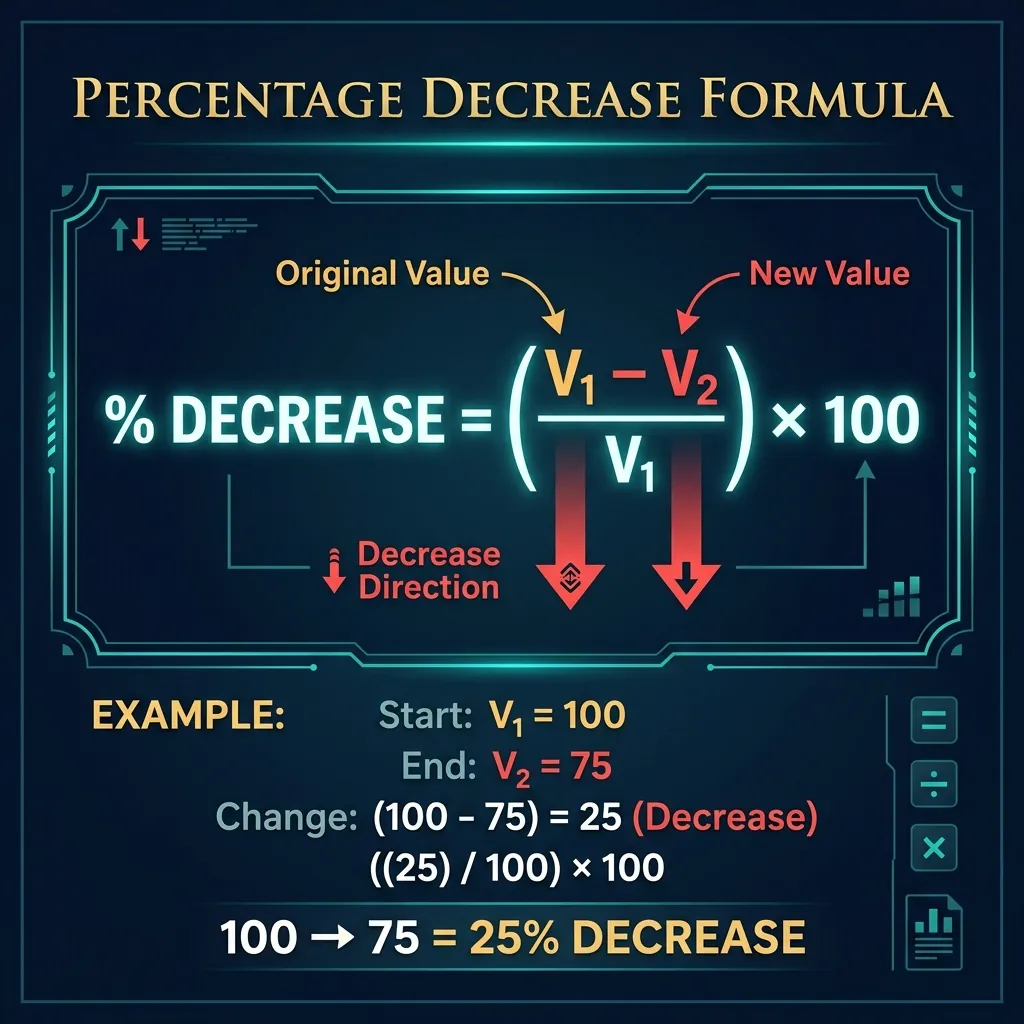
The standard formula for percentage decrease is:
- % Decrease = ((V₁ − V₂) / V₁) × 100
Where V₁ is the original (starting) value and V₂ is the new (final) lower value. Breaking this into steps:
- Step 1: Find the absolute decrease: V₁ − V₂ (always positive for a true decrease).
- Step 2: Divide by the original value: (V₁ − V₂) / V₁.
- Step 3: Multiply by 100 to express as a percentage.
- If V₁ < V₂: the result is a percentage increase, not a decrease. Use the Percentage Increase Calculator for those cases.
Important: Always divide by the original value (V₁), not the new value (V₂). Using V₂ as the denominator is a very common error that produces an inflated percentage.
Worked Examples
Here are four real-world percentage decrease examples calculated step by step:
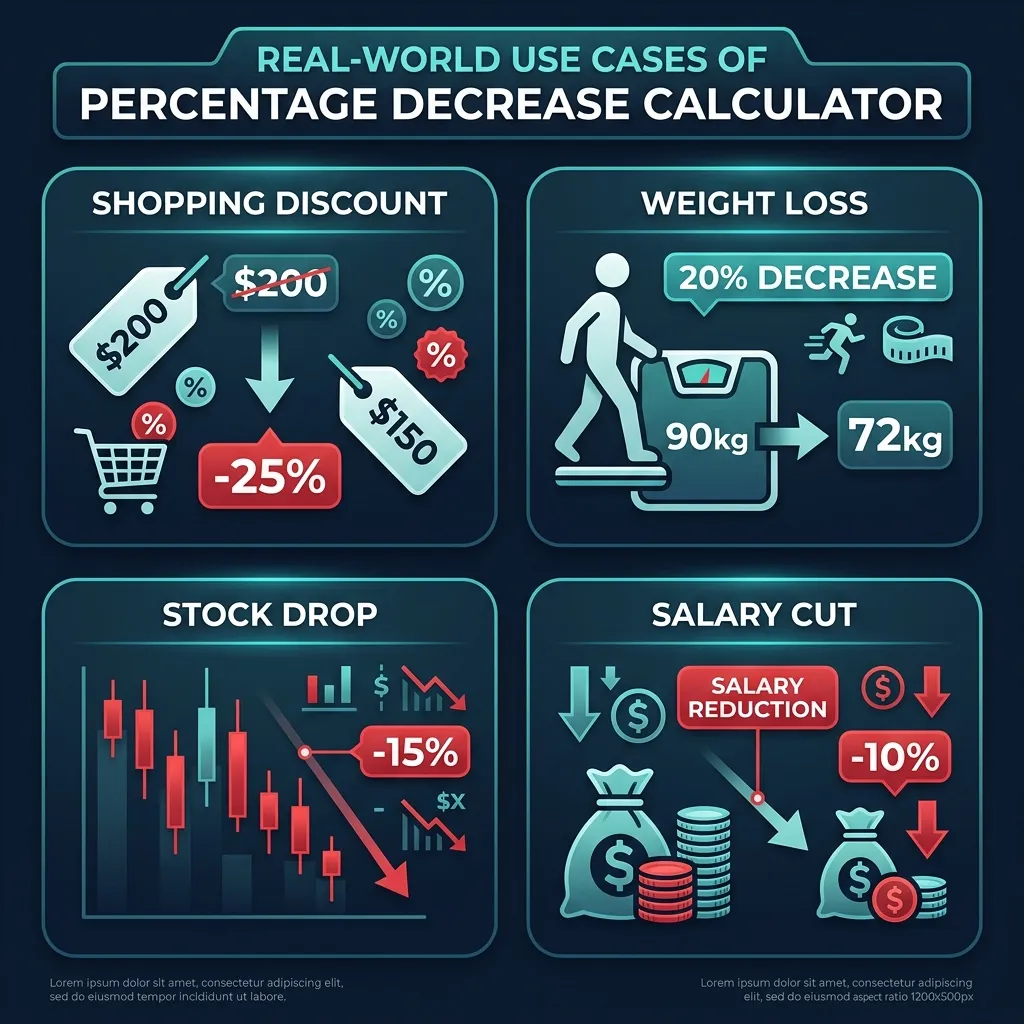
- Retail discount: A jacket costs $200, now on sale for $150. % Decrease = (200 − 150) / 200 × 100 = 25%. The jacket is 25% off.
- Weight loss: Starting weight 90 kg, current weight 72 kg. % Decrease = (90 − 72) / 90 × 100 = 20%. A 20% reduction in body weight.
- Stock price drop: A share price falls from $480 to $408. % Decrease = (480 − 408) / 480 × 100 = 15%. The stock lost 15% of its value.
- Salary cut: Salary reduced from $60,000 to $51,000. % Decrease = (60,000 − 51,000) / 60,000 × 100 = 15%. A 15% salary reduction.
Finding the Original Value Before a Percentage Decrease
A frequently overlooked use case: you know the final value after a percentage decrease but need to recover the original. The formula is:
- Original (V₁) = New Value (V₂) / (1 − % Decrease / 100)
Example: A product is on sale for $75 after a 25% discount. What was the original price?
V₁ = 75 / (1 − 25/100) = 75 / 0.75 = $100.
This is the reverse percentage technique, essential in retail (pre-VAT price), salary negotiation (pre-cut salary), and financial modeling. The common mistake is to add the percentage directly back (e.g., $75 + 25% = $93.75), which is mathematically incorrect — the correct answer is always higher than that naive calculation.
Repeated Decay & Compound Decrease
When a percentage decrease applies repeatedly, effects compound. The formula for value after n periods at decay rate r% is:
- Final Value = Starting Value × (1 − r/100)ⁿ
This is the exponential decay formula, which models depreciation, radioactive decay, drug concentration in the bloodstream, and population decline. Key properties:
- Half-life: The number of periods to halve a value at rate r% ≈ 70/r (Rule of 70 for decay). At 5% annual depreciation, half-life ≈ 14 years.
- Compounding accelerates loss: A 10% annual decrease over 10 years does not equal 100% loss. It equals: (1 − 0.10)^10 = 0.3487, so only 65.13% total decrease.
- Asymmetric with gains: A 50% decrease followed by a 50% increase returns only 75% of the original (0.5 × 1.5 = 0.75). Losses require a larger percentage gain to recover.
The Asymmetry Rule: Why Decreases Hurt More Than Equal Increases Help
One of the most misunderstood aspects of percentage mathematics is asymmetry. Consider:
- A stock falls 50%: $1,000 → $500.
- To recover to $1,000, the stock must now rise 100% from $500, not 50%.
This is because the base changes. After a decrease, the recovery percentage is always larger than the original decrease percentage. The exact recovery % needed = (Decrease% / (100 − Decrease%)) × 100. For a 25% decrease: recovery = (25/75) × 100 = 33.33%.
This has profound implications in investing (see the Percentage Increase Calculator), budgeting, and business planning. Always model both the cost of a decline and the larger percentage gain required to restore equilibrium.
Real-World Applications of Percentage Decrease
- Retail & e-commerce: Discount pricing, clearance sales, markdown from MSRP, seasonal promotions. The Percentage Discount Calculator is purpose-built for retail scenarios.
- Finance & investing: Drawdown analysis (portfolio decline from peak), earnings per share drop, revenue contraction, bond yield decreases, and currency depreciation.
- Health & fitness: Body weight reduction, calorie deficit tracking, BMI improvement — the BMI Calculator pairs naturally with weight-loss percentage tracking.
- Economics & business: GDP contraction, market share loss, cost reduction programs, workforce reduction percentages, and inflation-adjusted price decreases.
- Engineering & science: Signal attenuation in dB, material degradation over time, efficiency loss in machinery, and concentration decrease in chemistry (half-life).
- Real estate: Property value depreciation, rent decrease during downturns, construction cost overruns expressed as percentage over budget.
Common Mistakes When Calculating Percentage Decrease
- Wrong denominator: Always divide by V₁ (the original), not V₂ (the new value). Using the wrong base gives an inflated percentage. Example: (100−75)/75 × 100 = 33.3%, but the correct answer is (100−75)/100 × 100 = 25%.
- Adding percentages directly: A 20% decrease followed by a 20% increase does NOT return to zero. It gives −4% net (0.8 × 1.2 = 0.96). Successive percentage changes multiply, they do not add.
- Confusing percentage decrease with percentage points: If a tax rate drops from 30% to 25%, it fell by 5 percentage points, but by (30−25)/30 × 100 = 16.7% as a percentage. Always clarify which measurement you mean.
- Reverse error: To find the original price before a 20% discount, do NOT add 20% to the sale price. Divide by 0.80 instead. (Sale price $80 → Original = 80/0.80 = $100, not $96).
- Ignoring sign: Percentage decrease is conventionally expressed as a positive number with "decrease" stated, or as a negative change (e.g., −25%). Mixing conventions creates confusion in reporting.
Related Calculators — Internal Links
- Percentage Increase Calculator — The companion tool: find % increase, not decrease. Covers the same four modes (find % change, new value, original value, compound growth). Essential for understanding asymmetry between increases and decreases.
- Percentage Calculator — General percentage math: what is X% of Y, what percent is X of Y, and what is the result when X is increased/decreased by Y%.
- Percentage Discount Calculator — Retail-focused: given an original price and discount %, find the sale price, savings amount, and effective discount rate. Uses the same underlying % decrease formula.
- Discount Calculator — Multi-step discounts, cumulative % off, and discount with tax for retail and e-commerce pricing workflows.
- Profit Margin Calculator — When cost exceeds revenue or margins contract, profit margin analysis requires the same percentage decrease methodology applied to profitability ratios.